
 Subscription website
 Website models
 Custom software
 Consulting
 Hosting and domains
 Tech calculator
 About Us
 AI Vision
 Roadmap
 Blog
Blog Shop
Shop AI Soft Points
 Contact
Phishing: how to spot a fake email or text message
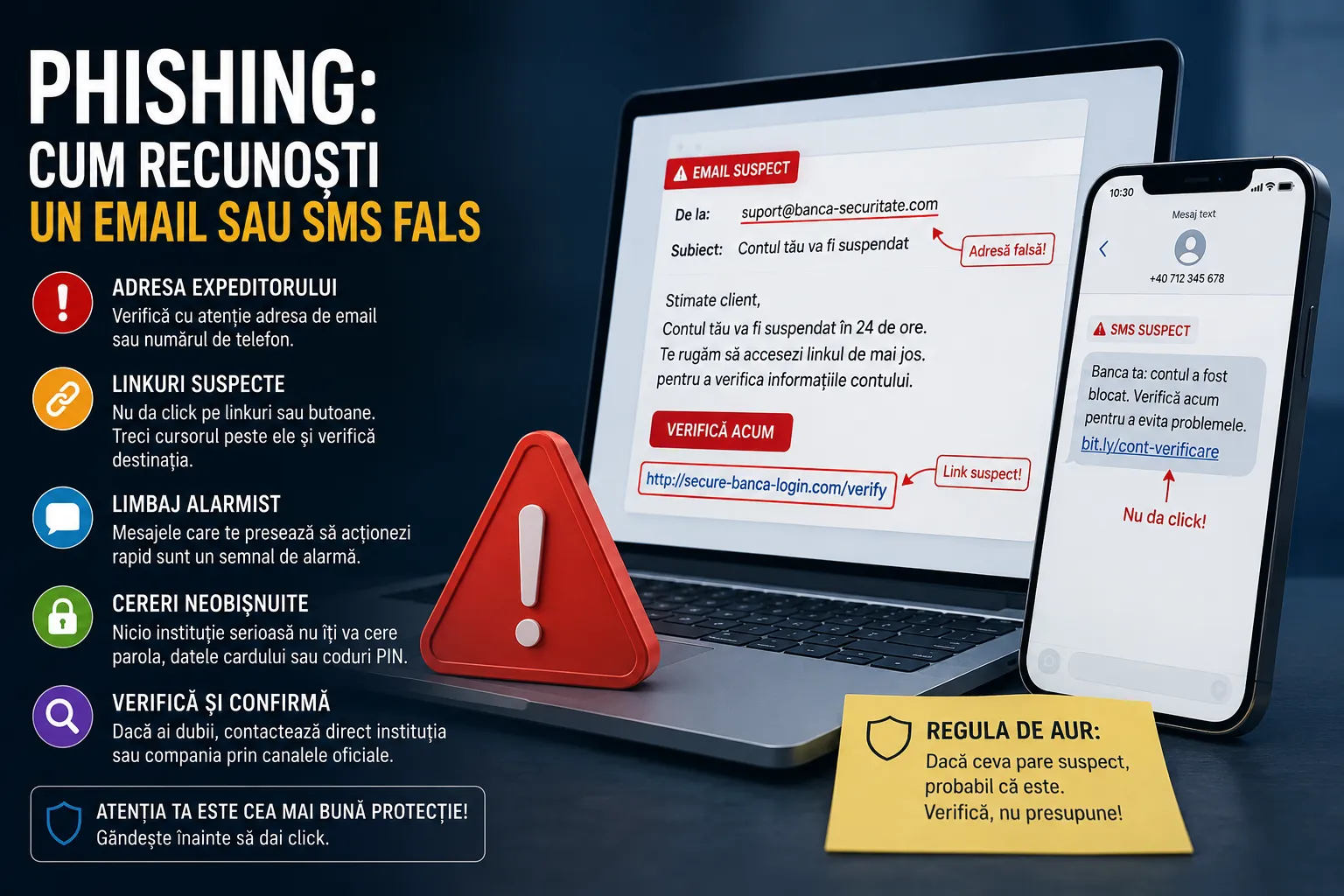
Phishing is the most widespread form of online fraud. It means fake messages that imitate a trusted company, designed to trick you into handing over data or money. If you learn to recognise it, you're already one step ahead.
What a phishing attack looks like
You receive an email or text message that appears to come from your bank, a well-known shop or a courier company. The message asks you to confirm your details, pay a small delivery fee or unlock your account via a link. The link leads to a website that looks exactly like the real one, but is a copy.
The tell-tale signs
- The sender's address. It looks official, but contains extra letters or an odd domain.
- The real link. Hover your cursor over the link, without clicking, and see where it actually goes.
- Requests for sensitive data. Passwords, card details, codes received by text message.
- Time pressure. They rush you so you don't have time to think.
One simple rule that keeps you safe
Never access important accounts through links in messages. If you get a notification from your bank or a shop, open the app yourself or type the official address into your browser. If the information is real, you'll see it there too.
Be careful with codes sent by text
Codes you receive by text message to confirm payments are like the key to a safe. No one, ever, has a reason to ask you for them by phone or chat. If someone asks for them, it's fraud.
How we can help
We build websites and systems with secure payments, where sensitive data never passes through the wrong hands. And through articles like this one, we want to help everyone spot a fake message more easily. Pass it on to anyone who needs it.
Was this useful? Let us put it into practice.
Tell us briefly what you need and we will reply within 24 hours at most. No obligation.
Comments (0)
Be the first to leave a comment.